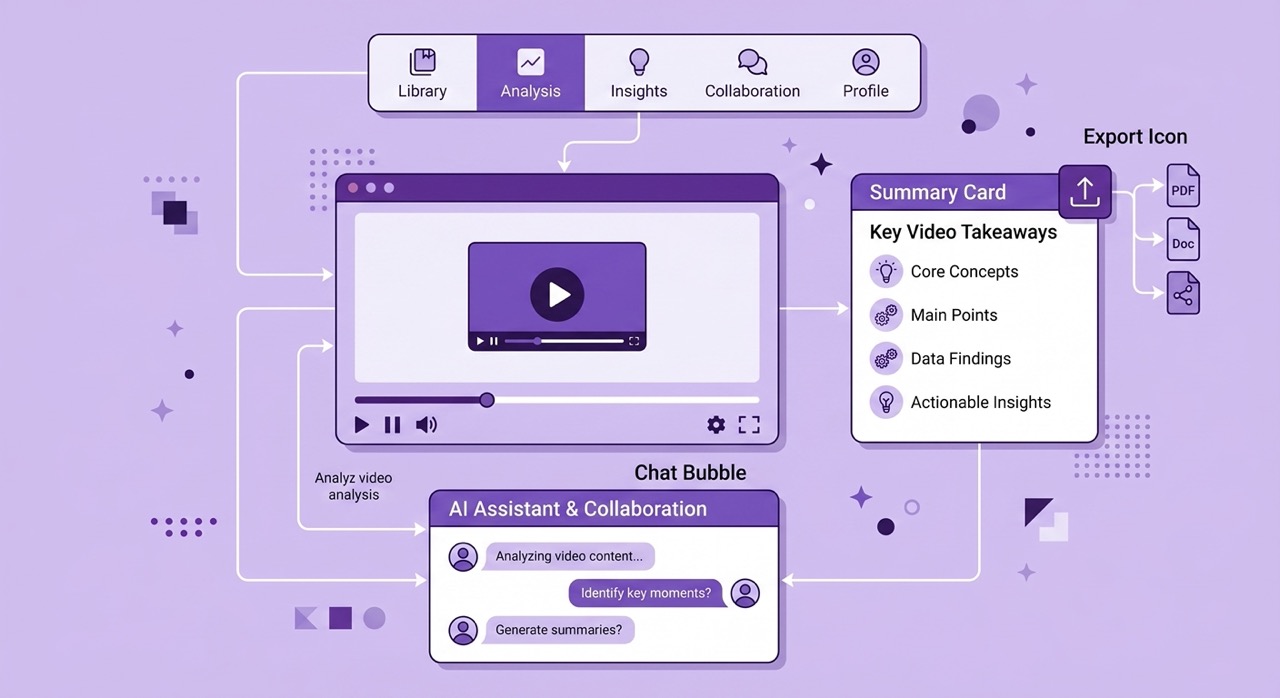
YouTube contains more valuable educational content than most university libraries. The problem is not the content — it is the default consumption mode. This guide covers ten chapters of practical strategies, tools, and workflows for extracting maximum value from YouTube in minimum time. The core insight: treat YouTube as a library you navigate, not a channel you watch. Every strategy in this guide serves that principle.
Somewhere in the past five years, YouTube quietly became the most important educational resource most people have never deliberately used.
Not important in the way that a good textbook is important — as a secondary source that supports formal learning happening elsewhere. Important as a primary resource: the place where the world's leading practitioners explain their craft, where researchers present their findings before they appear in journals, where educators who have spent careers developing the clearest possible explanations of complex subjects publish that work for free, and where the gap between what you know and what you need to know on almost any professional or intellectual topic can be closed in hours rather than weeks.
The platform hosts over 800 million videos. More than 500 hours of new content is uploaded every minute. MIT, Stanford, Harvard, and hundreds of other universities publish complete course lectures publicly. Khan Academy has produced over 8,000 instructional videos. Independent experts in every field from quantum physics to Byzantine history to options trading have built channels with more teaching depth than most university departments.
And yet the average person who uses YouTube for learning produces almost nothing durable from the experience. They watch videos. They feel informed. They retain, on average, less than 10% of what they consumed after 48 hours. The platform they are using is a library. They are treating it as a television channel.
This guide is about the difference between those two things — and everything that follows from making the switch.
Chapter 1 — The YouTube Time Trap: Why We Watch Without Learning
Understanding why passive YouTube consumption fails is necessary before any strategy for improving it will make sense.
The time trap works through a specific mechanism. YouTube is optimized for engagement — for keeping you watching, for the next video being sufficiently interesting to start automatically, for the experience of the platform being pleasant enough that leaving feels like a loss. Every design decision in the product serves this optimization. Autoplay, recommendations, notifications, endless scroll — all of these are engagement mechanisms, not learning mechanisms. They are designed to extend sessions, not to produce retention or application.
The result is a gap between the experience of watching and the outcome of learning. Watching YouTube for an hour feels productive in the same way that a long lunch with a colleague feels productive — there is conversation, engagement, stimulation, and a general sense of activity. But activity is not the same as output. Watching is not the same as learning.
Three specific mechanisms drive the gap.
The familiarity illusion. When you watch a clear explanation of a concept, you experience something that feels like understanding. The information is presented coherently. It makes sense as you receive it. This creates a sense of comprehension that does not reflect your actual ability to retrieve or apply the information independently. Research calls this the illusion of knowing — the subjective feeling of understanding produced by exposure that does not survive the absence of the source material.
The passive mode default. Video activates a reception mode that is cognitively different from the mode that produces learning. Reading — particularly reading with a pen or keyboard ready to take notes — maintains a level of active engagement that is structurally difficult to sustain while watching. The brain's response to moving images, sound, and pace set by an external source is fundamentally receptive in a way that reading is not.
The absence of retrieval. Learning science's most consistent finding is that retrieval practice — attempting to recall information from memory — is the single most effective technique for consolidating knowledge. YouTube's design includes no retrieval mechanism whatsoever. You watch. The information goes in. Nothing prompts you to take it back out, which is the step that would make it stick.
Every strategy in this guide addresses at least one of these three mechanisms.
Chapter 2 — The Smart Viewer's Mindset Shift
The change that makes everything else possible is conceptual rather than technical. It does not require any tool or any new skill. It requires a different answer to the question of what you are doing when you open YouTube to learn something.
The television viewer's answer: I am watching a video about X.
The library user's answer: I am using YouTube to find, evaluate, and extract specific knowledge about X.
These two answers produce completely different behaviors. The television viewer presses play and receives. The library user has a specific question, evaluates whether the source can answer it, extracts the relevant parts, and moves on. The television viewer's success criterion is finishing the video. The library user's success criterion is getting the answer.
Adopt a specific question before every session. Before opening YouTube with a learning intention, write down the specific question you are trying to answer or the specific capability you are trying to build. "I want to learn about machine learning" is a television viewer's intention. "I want to understand what gradient descent does and why it converges" is a library user's question. The specific question tells you what to search for, tells you whether a given video is relevant, tells you which parts of the video to engage with deeply and which to skip, and tells you when you are done.
Evaluate before you watch. Before committing to a video, spend two minutes assessing whether it is likely to answer your question reliably. Check the channel's credibility. Read the description. Scan the comments for any immediate quality signals. Generate a Short AI summary and read it. If the summary confirms the video addresses your question from a reliable perspective, watch. If not, find a better source.
Define done. A YouTube learning session without a defined endpoint expands to fill available time. Define in advance what done looks like: having answered the specific question you started with, having watched the planned videos in a curriculum sequence, having generated and reviewed summaries of a defined set of sources. Done is not "I got tired of watching." Done is "I have what I came for."
Chapter 3 — The Best Tools for YouTube Productivity
The mindset shift produces the intention. The tools make the intention practical.
AI Summary Chrome Extension is the central tool in every workflow in this guide. It adds an intelligent panel directly inside YouTube — not a separate tab, not a pop-up, but a native-feeling interface that lives within the YouTube page itself. From this panel, you can generate AI-powered summaries of any video in seconds, navigate via timestamped links, ask specific questions about the video content, analyze comment sentiment, access a clean version of the transcript, and export everything to Notion, Google Docs, or a local file.
The hybrid AI engine — which chains ChatGPT, Gemini 2.5, and Claude in an automatic failover system — produces consistently high-quality output regardless of video length or language. The long video capability, powered by Gemini 2.5's million-token context window, handles the 2-hour and 3-hour content that defeats most competing tools. The multilingual output supports 50+ languages. The installation takes 25 seconds and requires no account.
Everything else in this guide assumes you have it installed. Install it free at aisummary.site before reading further.
SponsorBlock removes sponsor segments, intros, and outros automatically — eliminating the non-content portions of YouTube videos that break learning flow without adding information. For heavy YouTube users, the cumulative time saving is significant.
Enhancer for YouTube provides precise playback speed control beyond YouTube's native options, keyboard shortcuts for efficient navigation, and interface decluttering that removes recommendation feeds from your field of view during learning sessions.
Notion or Google Docs as your knowledge base destination for exported summaries. Both integrate directly with AI Summary's one-click export. The choice between them depends on your existing workflow — Notion for users who want a connected knowledge graph, Google Docs for users who work primarily in Google Workspace.
Chapter 4 — Summarization Techniques: Short, Normal, and Long
The AI Summary extension offers three summary depth levels. Using the right level for each situation produces better results than defaulting to one level for everything.
Short mode — 3 to 5 bullet points is the right tool for two specific situations: deciding whether a video is worth watching, and capturing the absolute core of content you have already watched and understood well. For a 45-minute video you are considering, a Short summary tells you in 45 seconds whether the content is relevant to your current question. For a video you have just watched and want to encode the key points from, Short mode captures the headline findings without the detail you already have in memory.
Normal mode — structured overview is the right tool for most learning situations. It produces a complete picture of the video's content — the main argument, the supporting points, the evidence offered, and the conclusion — in a format that is readable in three to five minutes. For most informational and educational content, a Normal summary is sufficient to understand the video without watching it, and to create a reference document that serves your future needs.
Long mode — comprehensive deep-dive is the right tool for content where you need detail: academic lectures, technical tutorials, complex argumentative content, and any material you expect to reference repeatedly. A Long summary of a 90-minute lecture on a technical subject produces a document of 1,500 to 2,500 words that functions as comprehensive lecture notes — capturing the conceptual content, the specific examples, the technical details, and the logical structure of the argument.
The pre-reading workflow uses the summary before watching rather than after. Generate the summary first. Read it. Then watch the video with the structural framework already in place. This pre-reading approach — borrowed from the textbook methodology of reading the chapter summary before reading the chapter — is one of the most reliably effective techniques in educational research for improving comprehension and retention from lecture content.
Chapter 5 — Note-Taking and Knowledge Capture
The gap between watching a video and learning from it is filled by active processing. Note-taking is the most practical form of active processing available during a YouTube session.
The annotation approach works best when combined with AI assistance. Rather than trying to take notes from scratch during the video — which requires dividing attention between comprehension and transcription — generate the AI summary first and use it as your annotation base. Your job during and after watching is to add to the summary: your own examples for concepts you want to remember, your questions about claims you find unclear or want to investigate, your connections to prior knowledge, your assessments of the evidence quality.
This annotation approach produces better notes than transcription because it captures your response to the content rather than just the content itself. The most useful notes are not recordings of what was said — you can generate that automatically. The most useful notes are the product of your mind engaging with what was said.
The Cornell adaptation for video divides your notes into three sections: the main content (populated by the AI summary), a cue column where you add keywords, questions, and connection prompts after watching, and a summary section where you write two to three sentences synthesizing the video's main contribution in your own words. The synthesis section is the most important — the act of reformulating the content in your own language is one of the most effective encoding practices available.
The synthesis habit extends the Cornell approach into a daily practice. At the end of each YouTube learning session, write a brief synthesis note: what did I learn today, how does it connect to what I already knew, and what question does it raise that I want to investigate next? This three-sentence discipline takes less than five minutes and produces a significantly more durable memory trace than ending the session by closing the tab.
Chapter 6 — Export and Integrations
Notes that exist only in a YouTube browser tab during the session are notes that cease to exist the moment you close the tab. The export step converts temporary engagement into permanent knowledge.
One-click Notion export creates a new page in your selected Notion database with the full summary content, video metadata, and timestamped references — formatted in native Notion markup, immediately searchable, and ready to link to related notes in your knowledge graph. For users with an established Notion system, this is the most powerful export option because it integrates the YouTube summary into a connected body of knowledge rather than creating an isolated document.
One-click Google Docs export creates a new document in Google Drive with equivalent speed and formatting quality. The right choice for Google Workspace users, for summaries you want to share with collaborators, and for documents that will become part of a larger research or writing project.
PDF export produces a formatted, print-ready document with full Unicode support for any language. The right choice for offline reference, printing for annotation, and sharing with people outside your digital ecosystem.
The compounding effect of consistent export is worth emphasizing because it is easy to underestimate. A single YouTube summary exported to Notion is a useful reference document. One hundred YouTube summaries exported over a year, consistently tagged and connected, is a searchable knowledge base that reflects a year of deliberate learning — retrievable, connectable, and genuinely yours. The marginal cost of each export is negligible. The compounding value over time is significant.
Chapter 7 — AI Features: Comment Analysis, Chat, and Clean Transcript
The AI Summary extension offers three features beyond summarization that each address a specific dimension of the YouTube learning challenge.
Comment analysis reads the available comments on any YouTube video and returns the overall sentiment, the top discussion topics, and the most substantive community feedback. For learners, this is most useful as a pre-watch quality signal: a video with expert practitioners validating and elaborating on the content in the comments is a different kind of source than a video with comments full of corrections, skepticism, or generic praise. Two minutes of comment analysis before watching a 45-minute tutorial can save you from learning from an unreliable source.
For research uses, comment analysis is a window into the community's collective assessment of the content — the informal peer review that video does not have a formal mechanism for. Corrections, alternative approaches, and more current information often appear in the comments of educational content from practitioners who know the subject. AI analysis surfaces this signal without requiring you to read through hundreds of comments manually.
Ask AI provides an interactive chat interface connected to the current video's transcript. You type questions in natural language and receive direct answers drawn from the video's content, with timestamps. For learning applications, the most useful questions are not comprehension questions but evaluative and navigational ones: "what evidence does the speaker offer for this claim?" "at what point does the lecture address the counterargument?" "how does the explanation in section three relate to the conclusion?" These questions engage you actively with the content's structure and evidence rather than just its conclusions.
Clean Transcript transforms YouTube's raw auto-generated captions — unpunctuated, unformatted, full of filler words — into a properly structured, readable document. For technical and academic content where the precise wording matters, the clean transcript is the most accurate raw material available for annotation and reference. For content in non-native languages, the clean transcript is often more comprehensible than the raw captions and serves as a better translation base.
Chapter 8 — Long Video Strategies
Long videos — lectures over an hour, documentary films, conference keynotes, extended podcast recordings — represent some of the most valuable content on YouTube and some of the most intimidating to approach. The strategies for engaging with long content efficiently are specific enough to deserve dedicated treatment.
Generate the summary before deciding whether to watch. For a 2-hour video, the question of whether to watch it in full is a significant time commitment decision. A Normal mode AI summary generates in under two minutes and gives you the information you need to make that decision intelligently: what the video covers, whether it addresses your specific question, and which sections are most relevant to you. For most long videos, the answer is that you need to watch one or two specific sections, not the full two hours.
Use timestamps as navigation, not decoration. Every point in the AI summary links to the corresponding moment in the video. For a 3-hour conference keynote, this means you have a navigable index of forty or fifty specific moments. Rather than watching from the beginning, you read the summary, identify the three or four sections most relevant to your purpose, and click directly to each one. A 3-hour video becomes a 30-minute engagement with the parts that matter.
Export long video summaries immediately. The density of information in long videos makes them particularly valuable to have in your knowledge base as structured documents. A 3-hour lecture generates more export value than a 10-minute video — and the cost of exporting is identical. Make exporting long video summaries a non-negotiable habit rather than an optional step.
Use Long mode for academic and technical long content. The default Normal mode is calibrated for general educational content. For university lectures, conference presentations, and technical deep-dives, Long mode ensures that the detail, sub-arguments, and specific evidence are captured rather than compressed. A Long mode summary of a 2-hour lecture on a technical subject is worth an hour of your time to read carefully — it contains the substantive content of the full lecture in a fraction of the time.
Chapter 9 — Multilingual Learning with YouTube
One of YouTube's least-discussed advantages as a learning resource is the breadth of expertise it makes accessible across language communities — and one of AI-assisted YouTube's most underestimated capabilities is making that expertise accessible regardless of language barriers.
The best available knowledge on any given topic is not evenly distributed across languages. Japanese YouTube has exceptional content on manufacturing, traditional crafts, and specific areas of engineering. German YouTube has outstanding content on history, philosophy, and classical music. Spanish and Portuguese YouTube have rich educational content from Latin American academic institutions that the English-speaking world has minimal awareness of. Korean YouTube has strong content on technology and design.
For learners who work primarily in English, this distributed expertise has been largely inaccessible. AI Summary's multilingual output changes this. The extension auto-detects the language of any YouTube video's transcript and generates the summary in whatever output language you specify — English, Ukrainian, Spanish, French, or any of 50+ supported languages. A Japanese lecture on precision manufacturing becomes accessible through an English summary. A German documentary on European history produces a Ukrainian summary.
The practical implication for learning is significant: the YouTube content available to you for learning is not limited to content in your language. It is limited by the content that exists, period — and that collection is substantially larger than the English-language subset alone.
Chapter 10 — Building a Personal Learning System
Everything in this guide works better as a system than as a collection of individual techniques applied inconsistently. A personal learning system turns deliberate YouTube engagement from something you do occasionally when you think of it into a sustainable practice that compounds over time.
A functional personal YouTube learning system has five components.
A curriculum for each learning goal. For every significant topic you want to learn from YouTube, maintain a document that lists the videos you plan to watch, the videos you have watched, and the key insights from each. This curriculum document prevents the aimless browsing that characterizes most informal YouTube learning and creates a sense of progress that maintains motivation.
A scheduled learning session. Thirty minutes per day at a consistent time, treated as a non-negotiable commitment rather than an optional activity. The scheduling creates the habit structure that makes consistent learning sustainable. The specific time — morning, lunch break, evening — matters less than the consistency.
A knowledge base with a consistent structure. Every exported YouTube summary goes to the same place, tagged with the same categories, organized according to the same system. The consistency is what makes the knowledge base searchable and useful rather than a chaotic collection of disconnected documents.
A weekly review practice. Fifteen minutes per week to review recent exports, add connections to older notes, update your curriculum documents with what you have completed and what you plan next, and write a brief synthesis of the most important things you learned that week. The review practice converts individual learning sessions into accumulated understanding.
A retrieval practice habit. At the end of each learning session, close everything and try to recall the key points from what you just watched and read. Check your recall against the summary. The gaps between what you recalled and what the summary contains are your revision targets for the next session. This retrieval practice, applied consistently, is the single most effective technique for converting YouTube watching into durable knowledge.
The Complete YouTube Productivity Checklist
Use this checklist at the start and end of every YouTube learning session.
Before watching:
Define the specific question you are trying to answer
Identify credible sources rather than accepting algorithm recommendations
Generate a Short summary to evaluate relevance before committing
Generate a Normal or Long summary to create the pre-reading framework
Read the summary before pressing play
During watching:
Watch at 1.25x to 1.5x speed with SponsorBlock active
Annotate the summary rather than transcribing from scratch
Use Ask AI for any concept that does not click immediately
Use timestamps to navigate directly to relevant sections
After watching:
Write a two to three sentence synthesis in your own words
Export the summary to your knowledge base
Add personal notes, connections, and questions to the export
Set a retrieval practice reminder for 24 hours and one week later
Update your curriculum document with completion status and key insights
Frequently Asked Questions
How long does it take to implement this system? The full system as described takes two to three weeks to establish as a consistent habit. Individual components can be implemented immediately — the AI Summary extension installs in 25 seconds, and the first summary you generate on the first video you open reflects the immediate benefit. Building the knowledge base, the curriculum documents, and the weekly review practice into consistent habits takes longer but produces compounding returns from the first week.
Is this approach appropriate for casual YouTube use, or only for serious learning projects? The core habits — generating a summary before watching, exporting when relevant, and doing a brief recall after — are low enough friction to apply to casual learning as well as serious projects. You do not need to implement the full system to benefit from the core practices. Start with the pre-reading summary and the export habit. Add the other components as they become natural.
What if I find the summaries are not accurate enough to rely on? Accuracy varies with transcript quality and content type. For videos with clear audio and standard speech patterns, accuracy is high. For highly technical content with specialized terminology, verify key claims against the video using the timestamps. The summary is a navigation tool and a capture mechanism — treat specific technical claims as pointers to verify rather than definitive statements.
How do I handle the temptation to keep watching after I have what I need? This is the core challenge of the mindset shift. Having a defined done criterion before you start — a specific question answered, a specific curriculum segment completed — gives you a clear exit point. Closing the tab when done rather than letting autoplay continue is a discipline that becomes easier with practice. Using a browser extension that blocks YouTube outside of scheduled learning sessions is a more forceful intervention for users who find the platform's engagement mechanisms difficult to resist.
Can this system work for someone who learns better from watching than from reading? The system is designed to make watching more effective, not to replace watching with reading. The summaries facilitate better watching by providing pre-reading context. The timestamps facilitate selective watching rather than exhaustive watching. The export provides permanent reference so you do not have to rewatch to retrieve information. The system makes you a more effective video learner, not a reader who happens to use YouTube.
Conclusion
YouTube is the world's largest free university. The lectures are there. The expertise is there. The breadth of subject coverage exceeds any individual institution that has ever existed. What has been missing is the approach that makes it function as a university rather than as a television channel.
The ten chapters of this guide provide that approach. The mindset shift from viewer to library user. The tools that make active engagement practical rather than exhausting. The summarization techniques calibrated to different learning situations. The note-taking methods that produce retention rather than the illusion of it. The export workflows that convert temporary engagement into permanent knowledge. The AI features that transform video from a linear medium into an interactive reference. The long video strategies that make the most valuable content accessible. The multilingual capabilities that remove language as a barrier to expertise. And the system structure that makes all of these practices sustainable over time rather than intensive for a week and abandoned.
The investment in building this system is front-loaded and modest. The returns compound from the first week and continue compounding as long as you maintain the practice. A year of deliberate YouTube learning using these strategies produces a body of knowledge, a knowledge base, and a set of capabilities that a year of passive watching does not approach.
The world's largest free university has always been open. The approach that makes attending it worthwhile is now available.
AI Summary is the central tool in every workflow in this guide — install it free at aisummary.site. No account required. Open the next YouTube video you would have watched passively and run a summary first.
Previously: How to Get the Most Out of Free Online Courses on YouTube ← · Next read: What Is Glassmorphism? Why Modern Extensions Are Adopting This Design Trend →
Related: ChatGPT vs Gemini vs Claude: Which AI is Best for Summarizing Content? · How to Use AI to Analyze YouTube Comments (What Your Audience Really Thinks)