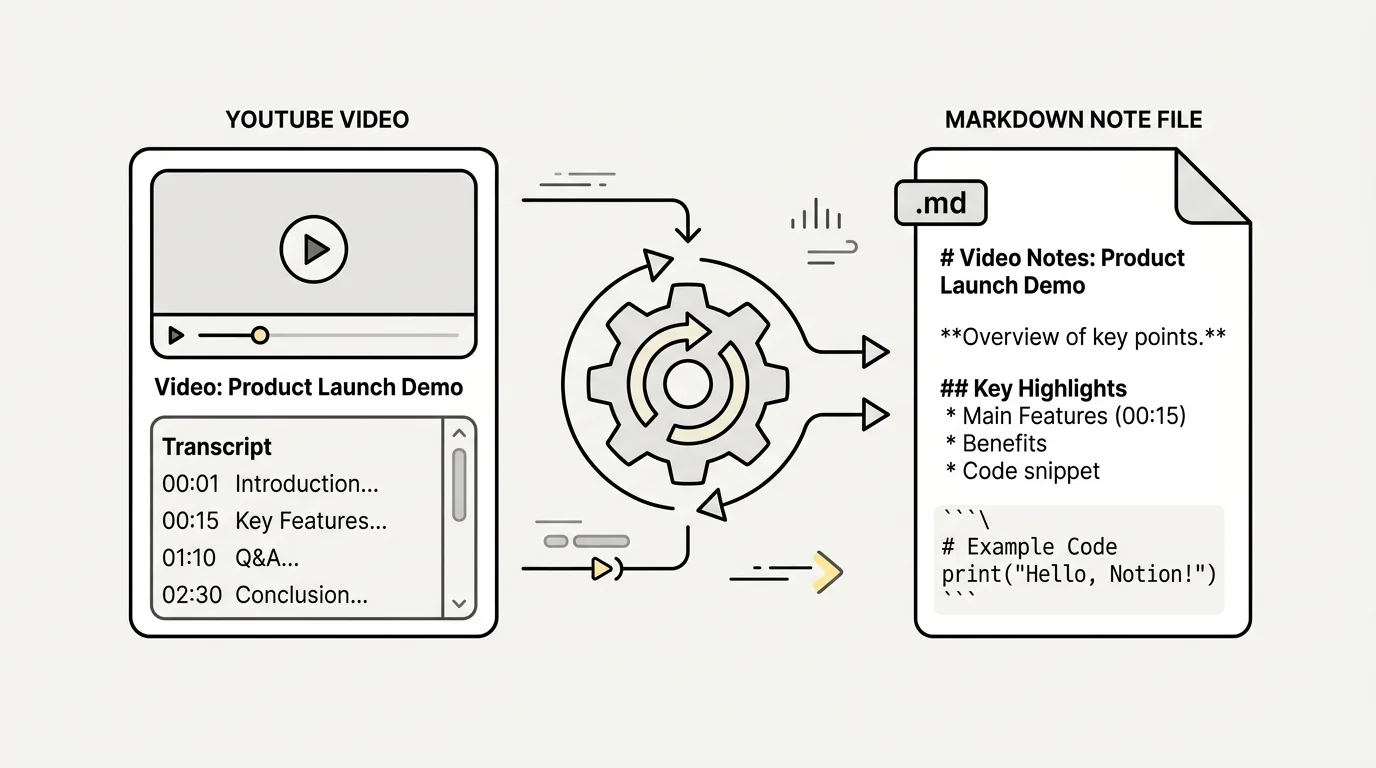
Video content is one of the richest sources of information on the internet today, but searching through hours of footage for a specific insight is incredibly inefficient. For knowledge workers, students, and researchers who rely on personal knowledge management (PKM) tools like Obsidian, Notion, or Roam Research, plain text is king. Converting a youtube to markdown format allows you to index, tag, and cross-reference video knowledge alongside your daily notes.
However, manually copying text from YouTube often leaves you with an unformatted wall of text filled with unwanted timestamps and weird line breaks. In this guide, we will explore the most effective methods to convert youtube transcript text into clean, structured Markdown that integrates seamlessly into your digital second brain.
Why Markdown is Ideal for Video Knowledge Management
Markdown has become the default plain-text syntax for modern note-taking applications. Unlike proprietary document formats, Markdown files are future-proof, lightweight, and easily parsed by search algorithms. When you convert video transcripts into Markdown, you unlock several key advantages:
- Bi-directional Linking: In apps like Obsidian and Notion, Markdown headers and bullet points can be linked directly to other concepts in your database.
- Clean Hierarchy: Markdown headings (H2, H3) break long video transcripts into scannable sections, making deep research effortless.
- Compact File Sizes: Plain text Markdown files take up minimal storage and synchronize instantly across mobile and desktop devices.
- Code and Callout Blocks: Tech tutorials often feature code snippets or key quotes that fit perfectly inside Markdown code fences and callout boxes.
Step-by-Step: Converting Raw Transcripts to Markdown
To convert raw transcript text into structured Markdown manually, follow a simple three-step formatting workflow:
First, extract the raw text without timestamps. You can toggle off timecodes in YouTube's built-in transcript menu, or copy the entire text block into a text editor. Next, replace repetitive line breaks with double line breaks to form proper paragraphs. Finally, add Markdown structural elements such as ## Section Headers for major video topics, * Bullet Points for lists, and > Blockquotes for memorable speaker quotes.
While doing this manually is fine for short 5-minute clips, formatting a 45-minute lecture or podcast manually can take up to half an hour. Automated conversion tools solve this bottleneck completely.
Integrating YouTube Markdown Notes into Notion and Obsidian
Once you have a Markdown-formatted transcript, importing it into your PKM system is straightforward. In Obsidian, simply save the .md file directly into your vault directory, and it instantly becomes searchable with full backlink support.
In Notion, create a new page, click the top-right options menu, and select "Import > Markdown". Notion will automatically translate headings, lists, and bold text into native Notion blocks. This preserves your visual hierarchy without creating hundreds of messy single-line blocks.
Skip manual copying and reformatting entirely! The AI Summary Chrome Extension allows you to extract YouTube video transcripts and convert them into clean, structured Markdown with a single click. It automatically formats headers, bullet points, and key takeaways ready for instant pasting into Notion or Obsidian.
Automating Your Markdown Video Pipeline
Building a friction-free workflow is key to maintaining consistent note-taking habits. By establishing an automated pipeline, every YouTube tutorial or lecture you watch can be summarized and converted into Markdown in under five seconds.
Pairing browser extensions with dedicated Markdown tools ensures your PKM vault remains populated with high-quality, actionable notes without spending hours on manual transcription and syntax formatting.
Previously: How to Copy and Export YouTube Video Transcripts ← · Next read: How to Extract Key Takeaways & Action Items from Long YouTube Webinars →
Related: How to Download and Format YouTube Video Transcripts